Autonomous Scheduling Systems

Eliminate manual entry and double-bookings. Integrate neural processing units to manage high-frequency calendar updates across global distributed teams.

How does the system handle real-time synchronization latency?

Our automation engine uses WebSockets and persistent TCP connections to ensure that updates are pushed to all endpoints within 200 milliseconds. Unlike traditional polling methods that check for updates every few minutes, our event-driven architecture reacts instantly to any change in the source calendar.

This approach minimizes the risk of scheduling conflicts during high-traffic periods. By implementing automated data processing, the system can predict peak load times and allocate more bandwidth to synchronization tasks dynamically.

What API protocols are supported for third-party integration?

The platform supports RESTful APIs, GraphQL, and specialized connectors for major enterprise tools like Microsoft Graph, Google Workspace SDK, and Salesforce. Every endpoint is documented with strict schema validation to prevent malformed data from entering the production environment.

Is data consistency guaranteed across different time zones?

All timestamps are processed and stored in UTC (Coordinated Universal Time) format. The front-end layer performs the conversion based on the user's localized browser settings or hardware clock. This prevents the "shifting meeting" bug common in legacy scheduling software.

How is user privacy maintained during calendar scraping?

We utilize OAuth 2.0 scoped permissions. The AI agent only accesses "Free/Busy" status rather than full event descriptions unless explicitly authorized by the administrator. This ensures compliance with regional data protection laws while maintaining high operational efficiency.
System Advantages

Zero-Touch Logic

Automated rescheduling algorithms handle cancellations and shifts without human intervention, reducing administrative overhead by 40%.

Conflict Resolution

Advanced logic gates prevent overlapping appointments by analyzing priority levels and historical attendance patterns.

Unified Inbox

Sync disparate tasks from Trello, Jira, and Monday.com into a single, cohesive timeline for total visibility.

Engineering Better Workflows

Integrating AI into daily scheduling is not merely about moving blocks on a grid. It is about building a robust metadata layer that understands the context of every task. When a high-priority project deadline approaches, the system automatically suggests moving non-essential internal meetings to a later date. This proactive approach is detailed in our Workflow Automation Hub documentation.

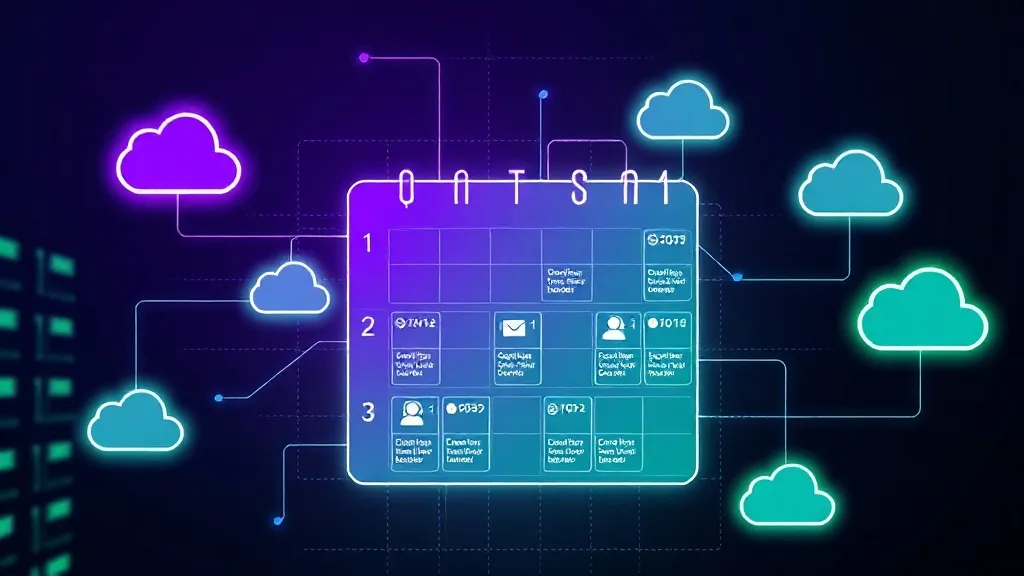
A technical diagram showing a digital calendar interface wit
Visual representation of cross-platform API synchronization flow.

For organizations operating in regions with specific infrastructure needs, such as Edmonton technical resources, we offer localized server deployments. This reduces physical distance between the data center and the end-user, further lowering the latency of task updates.

Core Synchronization Features:

  • Bi-directional sync between ERP and personal calendars.
  • Automated buffer time insertion between consecutive meetings.
  • Priority-based task sorting using machine learning classification.
  • Instant notification triggers via Slack, Teams, or SMS.

Ready to Optimize Your Timeline?

Switch from manual tracking to a neural-synced schedule today. Review our technical matrix to ensure compatibility with your current software stack.

Start Integration
Legal Notice & Disclaimer
AI Bizflow operates as an autonomous information platform and technical resource. This website is a self-contained project and holds no formal affiliation, partnership, or endorsement agreements with any government departments, public sectors, commercial entities, or specific software brand holders mentioned in the technical documentation. All product names and logos are property of their respective owners.